Thursday, August 24, 2023

A "Cartoony" Spatial Paradigm? pt. 1 (Cutie Q)

Taxonomy of Virtual Spaces

Many of my previous posts have focused on the "Filmation" aesthetic style as an example of a spatial paradigm in digital games.

This post is an exploration toward evaluating another paradigm through the evolution of "cute" or "cartoony" games, with their genesis in the late 1970s and evolution through the 1980s.

Cutie Q

Cutie Q screen shot

Cutie Q (Namco, 1979) was the third title in Toru Iwatani's Gee Bee series, preceded by Gee Bee (1978) and Bomb Bee (1979). The Gee Bee games were inspired by Breakout (Atari, 1976) which had kick-started arcade game popularity in Japan in a way that Pong (Atari, 1972) and its clones never had. The Gee Bee series mixed block-breaking gameplay with pinball and pachinko aesthetics, featuring interactive items on the playfield like pop bumpers, spinners, and rollover targets. Cutie Q is the first to feature cute characters in the game, such as pink ghost "minimon," yellow "walkmen," happy/unhappy faces, and characters on the rainbow-colored blocks.

Earlier arcade games had featured recognizable characters that were more than simple paddle, car, tank, or rocket ship shapes (such as TV Basketball (MIdway, 1974), Western Gun/Gun Fight (Taito/Midway, 1975), and Circus (Exidy, 1977)). Tomohiro Nishikado's Space Invaders (Taito, 1978) aliens are recognizble as different sea creatures (octopus, crab, and squid). However, none of these earlier characters would be considered to be "cartoony" or "cute" (although the crab space invader is generally considered to be "the cute one").

Cutie Q is probably the earliest example of a "character game"* with intentionally cartoony and cute (it's right there in the name) figures. This concept served as direct influence on Iwatani's next game with Namco, Pac-Man.

Cutie Q Visuo-Spatial Analysis: The game screen emulates an orthographic view of a bagatelle-style playfield, but there is no real sense of gravity to understand which way is "down." The player could be looking down at a plan view of the playfield (like a pinball machine) or across at an elevation view (like a vertically-mounted pachinko machine). The character images are shown in orthographic front and side elevation views, the best way to show character details on a tiny 16 x 16 one-bit-per-pixel (1BPP, i.e. a two-color palette) sprite. The game has a sense of continuous 2-D game space limited to a single screen (fixed frame).

* The term "character game" is also a term used for Japanese "simulation games" (what we call board-and-counter wargames in the west) that are based on manga and anime series. For more on this topic, you should see my other blog for articles and translations I've made of various Japanese sci-fi and anime games (and one German one).

[addendum 6 August 2026]

Head-On

Head-On (SEGA/Gremlin, 1979)

The American SEGA subsidiary studio Gremlin created Head-On (1979), an arcade hit in the relatively untapped genre of maze games. The game Gremlin designer Lane Hauck said the idea for the game "just came to him," not citing any other game as a particular inspiration.

The player controls their car with a four-direction joystick rather than the typical steering wheel and gas pedal used in many driving games of the era. There is no finish line to race to. Instead, the player must drive over and clear all the "lane markers" (dots) in the road maze before an erratic, computer-controlled enemy car can smash into you. The cars are locked into 4-way orthogonal movement along the road lanes but can briefly move diagonally to change lanes at intersections. This is more limited than the precision steering and 32-way movement of a game like Gran Trak (Atari, 1974), but simplifies the game and allows for split-second gameplay. The player doesn't have to worry about scraping against a road barrier while they concentrate on avoiding the enemy car out to crash "head on" into them.

Head-On plays differently from the few earlier maze game examples. In Gotcha (Atari, 1973), players use 4-way movement to chase each other in a shifting maze with wide passages (diagonal movement seems to be restricted to the "attract mode" between games). The Amazing Maze Game (Midway, 1976) locks the player into narrow orthogonal "lanes" like Head-On, but the goal is to go from start to finish faster than a computer-controlled character can solve the maze from finish to start. The two characters do not interact if they collide with each other. Head-On may be the first of the "dot eater" genre, where the goal is to explore the entire environment, rather than to reach a singular goal (tag the other player in Gotcha, reach the finish line in The Amazing Maze Game).

Sales flyer for Nintendo's licensed Head-On N (1979)

Gremlin was purchased by SEGA Enterprises (an American company at the time... the story of SEGA is a long and complicated one) shortly before Head-On debuted, so SEGA also published the game overseas through its Japanese subsidiary. SEGA was only able to meet the demand in Japanese arcades by licencing the game out to other manufacturers like IREM (as PT Head On), Nintendo (as Head-On N (see above)), and Nichibutsu (as Rolling Crash).

Head-On served as a template for early home games like Dodge 'Em (Atari, 1980) for Atari VCS, Tunnels of Fahad (Adventure International, 1980) for TRS-80 computers, and Car Wars (Texas Instruments, 1981) for TI-99 computers. Some of the more creative derivations in the arcades include Side Trak (Exidy, 1979), Space Chaser (Taito, 1979), Targ (Exidy, 1980), Spectar (Exidy, 1980), and Fast Lane (Konami, 1987).

Battle Course 4 from Super Mario Kart (Nintendo, 1992)

Evidence of Head On's influence on the racing game genre can be found in the Battle Course 4 map from Super Mario Kart (above), which was also included as a "retro course" in Mario Kart Wii (2008).

Head On Visuo-Spatial Analysis: The game uses a plan orthographic view of a roadway maze and the cars driving in it. It uses a continuous spatial model of a 2-D game space restricted to a single screen (fixed frame).

[end addendum 6 August 2026]

Pac-Man

Pac-Man screen shot

Iwatani's next game, Pac-Man (Namco, 1980) abandoned ball-and-paddle gameplay and seems like an evolution of the Head On formula: drive over all the dots in a narrow-lane, orthogonal maze while avoiding collisions. 
Pac-Man-Man, of course, replaces the act of driving with eating as the titular character devours his way through each maze. Bonus point edibles include fruits like cherries, strawberries, and oranges, their graphics reminding the player of "fruit machine" (a.k.a. slot machine) reel images.

Pac-Man is pursued by four ghostly, large-eyed monsters that look like they evolved from Cutie Q's pink minimons. Pac-Man features a technical leap past Cutie Q's graphics capabilities: the multicolored monsters and bonus items feature two-bit-per-pixel (2BPP, 4 colors, including transparency) sprites. Iwatani designed his monsters to be "cute," with big expressive eyes that look ahead in the direction they are moving.

The game also included some of the first "cutscenes" seen in a digital game.

Pac-Man first intermission

Pac-Man includes three intermissions that play after mazes 2, 5, and 9. These are short and humorous "cartoons" that reward the player with short breaks between rounds. This is further evidence of bringing visuals from animation into digital games.

Pac-Man Visuo-Spatial Analysis: The game screen emulates an orthographic plan view of a maze (not unlike a hedge maze) seen from overhead. It could be argued that the maze is seen from the side, but the lack of gravity that pulls to the bottom of the screen (this is not a platformer) and similarity to overhead driving games like Head On support a view from above. The character images are shown in orthographic front and side elevation views, much like in Cutie Q. This creates an incongruity between characters and their environment, one that I wrote about before (see the Orthographic Projection section). The game has a sense of continuous 2-D game space limited to a single screen (fixed frame) with a cylindrical topology (characters may move directly from one edge of the maze to the other by using the side tunnels).

Tuesday, August 22, 2023

Reconstructing the Virtual Spatial Configuration

Taxonomy of Virtual Spaces

In my last blog post, I took a close reading of Ultimate Play the Game's Knight Lore (1984, ZX Spectrum game) and pre-visualized what the game's spaces would look like in Unity. The next steps are to replicate its visuo-spatial configuration in 3-D geometry and add a player avatar to replicate its player affordances. These two aspects together represent the "Filmation" spatial paradigm that I've defined in the previous post.

This aspect of the project is a first step toward creating a tool for analyzing different spatial paradigms as intentional aesthetic styles, where the types of projection and avatar movement may be set to different parameters while playing.

Space

As previously seen in my last blog post, I chose the cauldron room from Knight Lore as an initial target for my project (this is the room where the player must bring certain spell components to the wizard so that he may remove the player's curse of lycanthropy). Once I manage to emulate one room in the Filmation paradigm, I can begin to change the visuo-spatial settings (means of projection, to start with) and show the same environment as rendered under different aesthetic qualities.

Knight Lore cauldron room

Cauldron room visualization target

Cauldron room in 3-D geometry, but projection is not true isometric

The simple geometry was easy to create using Unity's ProBuilder modeling tool. I created a gridded "prototype" material for the level geometry, keeping a similar look to the original Kenney Isometric Prototype Tile assets that I used for the previsualization.

The camera settings are more challenging than I'd like them to be. Any change to the size of the projection (in order to incorporate the entire room on the screen) also changes the angle of the projection. I have the correct angles to use, in part thanks to Cartesio, but this isn't just a matter of plugging in the right numbers to get the exact visuals. The the key is keeping the orthographic camera Size and Far Clipping Plane values in synch. If you double one value, you must also double the other value. Looking through the code, the Camera Perspective Editor tool I am using uses the Far Clipping Plane when determining the effect of its "Lens Shift" adjustments, as needed for this visual.

A new problem has arisen. The camera settings seen in the bottom half of the third image are using the tool developer's "True Isometric" camera settings. However, in a true isometric projection, the white cube in the corner of the room (outlined in magenta, above) should form an equilateral hexagon. It does not. The vertical edges of the hexagon outline are notably longer than the angled edges, which means that this projection is not as advertised. These projectors are oblique when they should be orthogonal to the projection screen.

Corrections

I still plan to use the Camera Perspective Editor tool for oblique and other projections, but I can simply use Unity's built-in "orthographic" camera settings for correct orthogonal projections. Here are two corrected projections of the same environment.

True isometric projection (35° downward angle)

The outline of the cube in the corner of the image above creates a true equilateral hexagon (each edge measures 74 pixels), so this projection is correct.

2:1 "pixel" dimetric projection (30° downward angle)

In this next image, the gray floor tiles are projected twice as wide as they are tall (64 x 128 pixels), making this match the 2:1 "pixel" dimetric projection.

Trimetric (1:1, 1:3) projection (35° downward, 30° oblique to front face)

This final image is close to the "pixel" trimetric (1:1, 1:4) projection of Crystal Castles that I analyzed before, but the camera angle I calculated with the Cartesio tool (3
3.5° downward) did not give the correct results in Unity. I will have to further revise the camera settings for use with the Unity project.


Monday, August 14, 2023

Towards a Digital Simulacrum of "Filmation" Spatial Paradigm

Taxonomy of Virtual Spaces

In my last blog post, I explored the history of and defined the "Filmation" spatial paradigm, as pioneered in Ultimate Play the Game's Knight Lore (1984, ZX Spectrum game). This is currently my best-defined example of a spatial paradigm, one with a long history, especially in action/adventure platformers

My goal with my latest digital project is to be able to replicate various spatial paradigms seen in digital games, starting with the visuo-spatial configurations as defined by my "Taxonomy of Virtual Spaces" (Rowe, unpublished).

The "Filmation" visuo-spatial configuration:
  • Gameworld
    • Game Space
      • Continuous Spatiality
      • 3-D Game Space
    • Mapping
      • Rectangular Topology
    • Modifiers
      • Gravity - Down
  • Framing Device
    • Frame Mobility:Diagonal Direction
    • Discrete (Page Flip)
  • Three Conceptual Image Planes (angle and projection method)
    • Agents - 30° Dimetric
    • Environment - 30° Dimetric
    • Background/Foreground - N/A
I began with a study of the original "Filmation" game, Knight Lore.

Studying Knight Lore

Playing Knight Lore on my ZX Spectrum Next (with HDMI output)

Like any game I am studying, I try to first play it on original hardware the game was designed for. I don't own an original Sinclair ZX Spectrum from the 1980s, but I do own a ZX Spectrum Next computer. It has an FPGA-implemented Z80-compatible processor that can replicate the functionality of a Spectrum or other Sinclair computer. It also sports an SD card reader, 512Mb RAM, joystick ports, HDMI and VGA output, and other amenities far above the original Spectrum's capabilities. The case and keyboard was designed by Rick Dickinson (RIP), who designed the some of Sinclair's original Spectrum cases. As a researcher and a gamer, it feels like a good mix of an authentic experience with enough modern conveniences to make my life easier (not worrying about a decaying keyboard membrane, a Kempston joystick interface, disintegrating cassette tape data, or PAL video formats). 

Playing the game reminds me that one thing I do not miss about old computer games: the wonky control schemes they often use. PC gamers owe so much to Thresh and his work to help standardize the WASD keyboard configuration scheme (though I am still a fan of ESDF). Knight Lore uses common-for-the-time "tank" style controls, where the player avatar can only move forward or rotate left/right by 90 degrees (and jump).

  • Jump: Q, W, E, or R
  • Forward: A, S, D, or F
  • Left: Z, C, B, or M
  • Right: X, V, N, or SYMBOL SHIFT

You can settle into a tight SZX control scheme, or widen your fingers out to a DZV to move without too much difficulty. The biggest problem is that jump is only on the top row of keys, not the standard space bar! If your left middle finger is on one of the ASDF keys to move forward, you need to move your other hand to one of the QWER positions to keep your other left hand figures to rotate left/right on the bottom row of keys. I think joystick controls are the way to go with this game.

Analyzing Knight Lore with the Spectrum Graphics Editor

I tried using the Spectrum Graphics Editor (still in development) to view Knight Lore's graphics data for analysis, but didn't have much luck. I found the graphics and image mask data, but it would take too long to extract the data into a useful format. I can see the graphics for the cauldron, crystal ball, boot, the ghost, the wizard, and the player sprites in the image above, but the pieces are still jumbled.

Knight Lore Cauldron Room showing 8 x 8 tile floor grid

As described in my previous blog post, Knight Lore rooms are 8 x 8 "tiles" in size along the floor plane. Each doorway is two tiles wide. The blocks the player often climbs onto are one tile in size and approximately 1/2 tile in height. The player can jump onto a block of this height.

Previsualization

Recreating the Cauldron Room in Unity 2019.4.40f1

I used the Cauldron Room as a previsualization target for the look of the digital game tool I'm creating. The initial pre-viz would also give me the opportunity to learn how to use Unity's isometric tilemap tools. I created a palette of tiles using the Kenney Isometric Prototype Tiles set (free to use under CC0 1.0) that I modified slightly.

I do like the gray and orange grid "under construction" palette used in these tiles. We used a similar texture on our prototype, graybox levels when using the Unreal 3 editor to create Legendary. It is very obviously not final art for the game, so it didn't pose much risk of accidentally being left in the shipping build for the final product. I like this look for my purposes as it does not really convey a specific architectural or artistic style. I need something that keeps the visualized spaces clear and distinct without giving the impression of a specific culture or genre.

Next Step: Create texture, material, and other assets based on a similar "prototype" look to use in order to build 3-D assets for replicating virtual spaces.

Friday, August 11, 2023

The "Filmation" Spatial Paradigm

Taxonomy of Virtual Spaces

My work posits that digital games can be understood as expressions of different spatial paradigms, defined as the stylistic visuo-spatial configuration of a virtual space and the player's affordances of navigation through that virtual space. In other words, how the game space is drawn to the screen and how the player can move their avatar through that space. This creates a framework for creating a diachronic history of digital games through changing aesthetic styles through time (or, and "art history" of video games).

Admittedly, the concept of spatial paradigms can be difficult to grasp and is often confused with video game genres. The following is an example of such a paradigm intended to help clarify the concept.

Knight Lore and the Birth of "Filmation"

Brothers Chris and Tim Stamper are now best known as the founders of Rare, the games studio that was one of the first western studios to develop for Nintendo systems. Rare created hit titles like R.C. Pro-Am (1988, NES), Battletoads (1991, NES), Donkey Kong Country (1994, SNES), Killer Instinct (1994, arcade), and the genre-defining GoldenEye 007 (1997, N64). Before Rare, the Stamper brothers founded Ultimate Play the Game, a small studio that created games for home computers that were popular in the UK in the early 1980s.

In 1984, the Stamper brothers developed a new graphic technique that combined "pixel dimetric" graphic projection with image masking to allow on-screen objects to overlap one another without flickering. They named their new technique "Filmation"* and used it to develop Knight Lore (1984), the first of several action-adventure games for the ZX Spectrum with platformer gameplay in a vast 3-D environment for the player to explore.

* Note that this technique has nothing to do with the Filmation production studio, creators of animated series like Fat Albert, He-Man, BraveStarr, and She-Ra, along with live-action shows like Secrets of Isis, Ark II, and The Ghost Busters (not to be confused with Ghostbusters). Filmation's production building loomed large in my childhood home town of Reseda. I likely would have tried to get a job there, but they shuttered their doors while I was still in high school.

Knight Lore (1984, Ultimate Play the Game, ZX Spectrum)

The Filmation technique was likely inspired by earlier titles like Q*bert (1982, Gottlieb, arcade game) and another "isometric" action-adventure game for ZX Spectrum, Ant Attack (1983, Quicksilva). However, Knight Lore's visual fidelity and large, detailed gameplay space was unprecedented for ZX Spectrum (a.k.a. "Speccy") users. Reviewers were astounded by the game's "glorious 3D" graphics and heralded it as "probably the best game yet produced for the Spectrum" ("Knight Lore Review," Crash, vol. 1, no. 12, Dec 1984, pp 16-17). Critic Steve Cooke stated that "the 3D effects manage to generate a real sense of 'being there'" ("Screen Test," Personal Computer Games, no. 14, Jan 1985, pg. 53). 10 years after the game's release, some critics were declaring that Knight Lore "represents the greatest single advance in the history of computer games" ("Retroview," Edge, no. 12, Sep 1994, pg. 77).

While the last point may be chocked up to hyperbole, it is clear that this new graphic technique was an important technical and stylistic achievement in conveying a complex 3-D space on a limited home computer with unusual graphics restrictions.

ZX Spectrum Graphics

Altered Beast (Activision UK, 1989, ZX Spectrum) screen shot showing Speccy color bleed

The ZX Spectrum's image resolution was 256 x 192 (compare to the NES/Famicom full screen resolution (with some overdraw) of 256 x 240) and the image would be drawn to the screen with a thick border around the edge** (see Altered Beast image, above). The 256 x 192 image is divided into a 32 x 24 grid of 8 x 8 pixel "blocks" of graphics. For each block, there can be a palette of only two different colors (often black and another color). This can create color bleed when different game objects overlap one another. In the above image, the colors from the main character's green boots, yellow skin, and cyan clothing all bleed into the surrounding gray background in the same graphic blocks.

** Note that the border has been removed from other screen shots on this page.

"Filmation" Spatiality

Knight Lore Cauldron Room with graphic block grid and gameplay space "cube" in magenta

A grid of magenta lines shows the grid of graphic blocks in the Knight Lore screen shot above. The Stamper Brothers nearly eliminated color bleed by deciding to have the entire gameplay section of the screen use the same palette (though the palette changes from room to room). As you can see, the HUD at the bottom of the screen is divided in such a way that each element is separate from neighboring elements that use different color palettes. The only exception is one of the sunrays in the lower right that is partially drawn in red instead of yellow where it is in the same block as the red frame element.

I've drawn other magenta lines to show the edges of the room's navigable gameplay space, a  sort of squashed cube. The edges of the space are defined by the locations of doors in the four walls. The room floor is an 8 x 8 grid of square "tiles"*** (each tile is the size of one of the blocks in the image above) where objects may be placed and the edges are defined by imaginary lines extending from the edges of the doorways. Characters and objects may be stacked atop each other, climb, fly, or jump to become elevated in this fully three-dimensional space.

*** Note that corridor floors in the game are 4 x 8 tiles in size. Doors may be found at the ends of corridors, but not along the long walls.

"Knight Lore +the Map" (Gordon Druce and Oliver Frey, Crash, vol. 1, no. 17, Jun 1985)

The player must explore explore the wizard's castle in the game, one room or corridor at a time. Knight Lore uses the "page flip" technique of frame mobility across the game world, one screen at a time.
"The screen is the basic unit of space in videogames, since it frames the interface." (Clara, F.-V., P., Z. J., & Michael, M. (2005). "Evolution of Spatial Configurations In Videogames." Paper presented at the DiGRA '05 - Proceedings of the 2005 DiGRA International Conference: Changing Views: Worlds in Play)
Frame mobility was a major advance in creating a sense of larger space in video games. Many early games are limited to what can be displayed on a single screen. A character moving to the edge of the screen might wrap around to the other side of the screen, creating a toroidal (like Spacewar!) or cylindrical (like Pac-Man) topology, but there was no space beyond the screen. Designer Warren Robinett needed more than one screen to display the vast world of Adventure (Atari, 1980, Atari VCS console game). He was one of the first to use the "page flip" technique to move the player's framing device from one region of game space to another. When the player's avatar reaches the edge of one screen, they reappear on the opposite edge (much like in a game with "screen wrap") with the screen displaying a different "room" of space. Before smooth-scrolling frame mobility became commonplace, this technique was used in many other important "adventure" games on consoles, like Pitfall (Activision, 1982, Atari VCS) and The Legend of Zelda (Nintendo, 1987, NES (1986, Famicom Disk System)).

In Knight Lore's case, the player avatar moves the frame by entering a doorway at the edge of a room or corridor. These interconnected rooms are not all at the same elevation, and after leaving one room on the ground floor the player may find themself on a ledge high up the wall in the next room.

How do you get the crystal ball?

Some rooms in Knight Lore toy with the player's limited spatial information due to the fact that they can only observe the space from one angle, leading to some ambiguities when game objects overlap. In the image above, the crystal ball the player needs to reach appears to be atop a two-block tall stack of blocks. The player can only jump up one block in height, so this seems to be impossible. Actually, it is a winding "staircase" of blocks that the player can easily navigate to reach the top, once they realize the spatial organization of the blocks. There are a number of navigation puzzles with ambiguous visuals like this in the game.

The Longevity of the "Filmation" Spatial Paradigm

From Spatial Paradigms of Digital Games (Rowe, unpublished)

Ultimate Play the Game and the Stamper brothers continued to use their Filmation "engine" to create more adventure/platformer games, like Alien 8 (1985) and Pentagram (1986). Their "Filmation II" engine changed the paradigm with smooth-scrolling frame mobility for  Nightshade (1985) and Gunfright (1986).

Many other games copied Ultimate Play the Game's spatial paradigm in the years that followed, especially games for the ZX Spectrum. Bo Jangeborg developed the "Worldmaker" system for his games Fairlight (The Edge, 1985) and Fairlight II (1986). Paul Shirley's Spindizzy (Electric Dreams, 1986) combined a Filmation adventure with the momentum-based movement of Marble Madness (Atari, 1984, arcade game). Jon Ritman and Bernie Drummond stayed close to the Stampers' Filmation aesthetic when they created Batman (Ocean Software, 1986) and Head Over Heels (Ocean Software, 1987). Ritman and Drummond later joined the Stampers at Rare to create another game with the same structure, Monster Max (1994, Game Boy handheld).

Cadaver (Image Works, 1990, Amiga)

The Filmation paradigm remained relevant as the ZX Spectrum and its 8-bit brethren gave way to powerful new 16-bit computers with advanced graphics capabilities. The Bitmap Brothers**** created Cadaver (1990), in which a knight explores the mysterious Castle Wulf (note that Knight Lore's prequel game is called Sabre Wulf (1984)). Solstice (CSG Imagesoft, 1990) brought Filmation-style puzzle/platforming in a magical castle to Nintendo's NES console. The Pickford brothers (Ste and John) worked on the sequel for the Super NES console, Equinox (Sony Imagesoft, 1994 (1993, Super Famicom console)).

**** Note that unlike the Stamper brothers and the Pickford brothers, I don't believe that The Bitmap Brothers was founded by actual brothers.

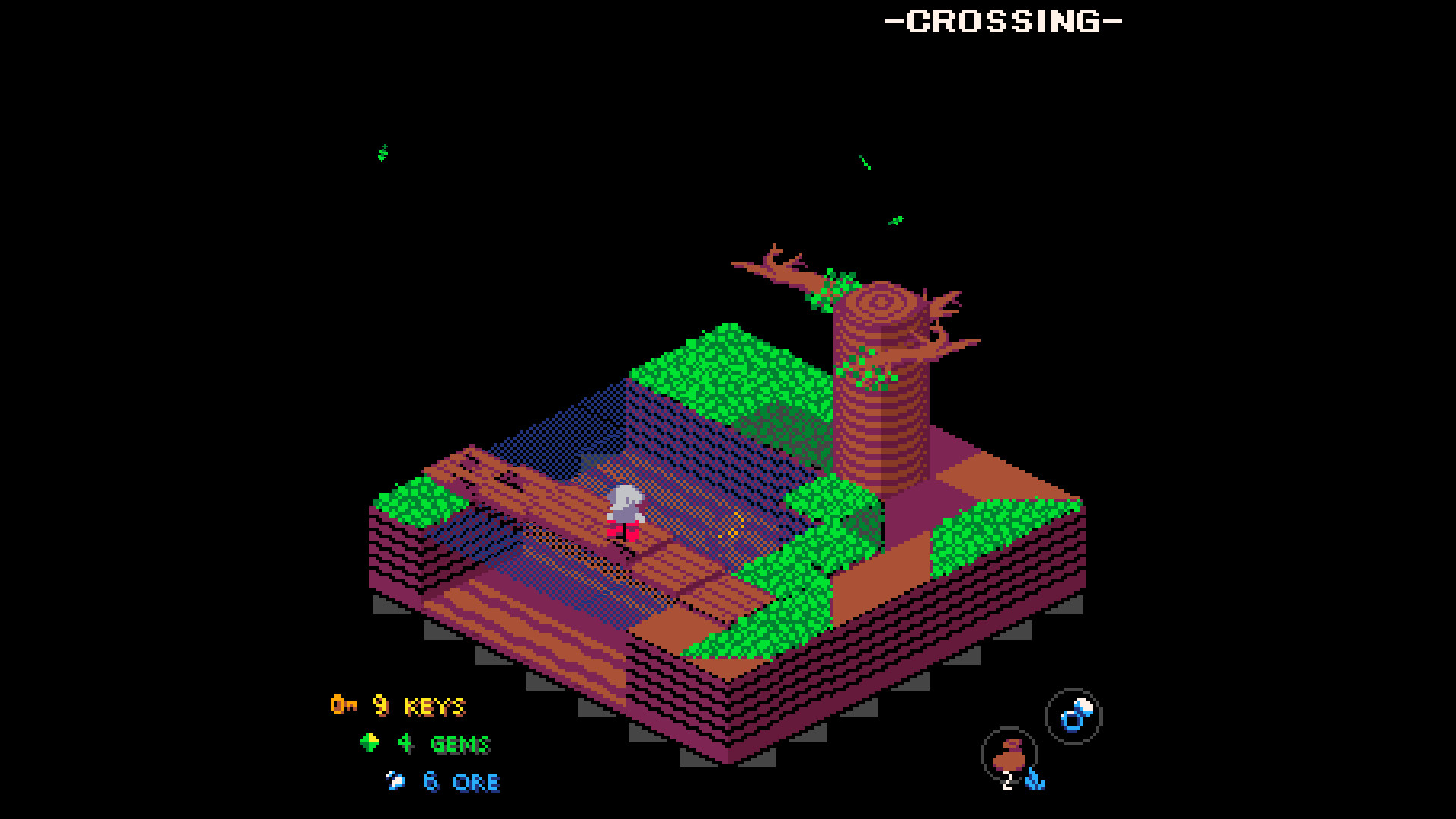
Elephantasy: Flipside (Benjamin Maksym, 2023, Windows XP game)

This spatial paradigm continues to have relevance to this day. Elephantasy: Flipside (2023) is a puzzle/platforming adventure game for Windows in which a tiny elephant named Belle must collect items, unlock abilities, and explore a vast, fantastic, 3-D game world.

[Update 8/15/23]
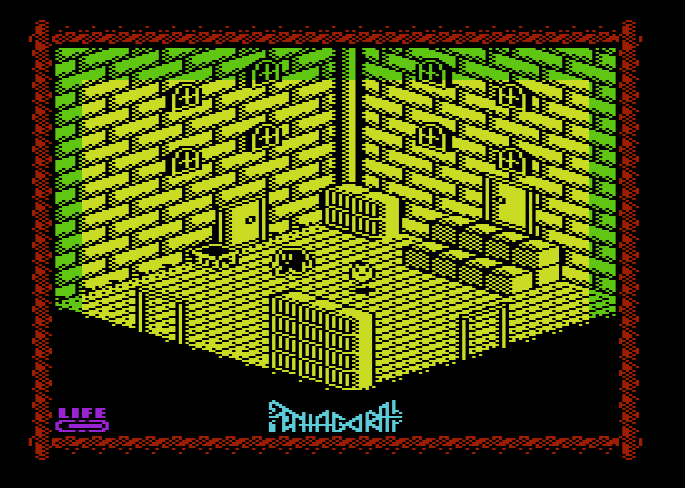
Pentagorat (Misfit, 2016, VIC-20)

Another relatively recent example is Pentagorat (2016), programmed for the VIC-20 computer. A Commodore 64 sequel, Pentagorat II, is currently in development.
[End Update]

[Update 10/12/23]
Melkhior's Mansion (BitGlint Games, 2020, Windows/Mac/Linux game)

Yet another relatively recent example is Melkhior's Mansion (2020) for modern computer systems. The garish color palette is designed to closely emulate the limited colors of the ZX Spectrum. The game is freely available on itch.io and directly references some of Ultimate Play the Game's earlier titles. The developer had been working on a version of the game for the old ZX Spectrum computers, but had to quit recently due to the "cranial abuse" it was causing them.
[End Update]

Defining the "Filmation" Spatial Paradigm

I use my "Taxonomy of Virtual Spaces" (Rowe, unpublished) to define a game's visuo-spatial configuration, how the game space is projected to the screen for the player to view. This represents one half of the spatial paradigm. My system is closely linked to the University of Montreal's concept of graphical regimes ("Game FAVR: A Framework for the Analysis of Visual Representation in Video Games," Arsenault, Côté, & Larochelle, 2015).

The following definition defines the visuo-spatial configuration:

Continuous Spatiality

3-D Gamespace

Rectangular Topology

Gravity - Down

Frame Mobility:

  • Diagonal Direction

  • Discrete (Page Flip)

Agents - 30° Dimetric

Environment - 30° Dimetric

Background/Foreground - N/A


The terminology system to define player navigation affordances is still in development:

Player Navigation Affordances:

  • Walk

  • Jump

  • Diagonal Direction


Monday, July 31, 2023

Cartesio: A Spatial Projection Tool from the Past

Taxonomy of Virtual Spaces

My new digital project will enable a user to simulate many different types graphics seen in video games. These graphic styles are classified by different types of planar geometric projections (or just "projections").

Some methods can be unclear, especially with discrepancies between using Primary Geometry and Secondary Geometry methods to illustrate game images. My methodology uses a primary geometry model, in which the entirety of the rendered virtual space, objects, "camera," and projection plane can be mapped out into a continuous spatial relationship. The secondary geometry model focuses only on the composition of the resulting image on the picture plane. Most artists, especially game artists before the advent of 3-D modeling, tend to work with the secondary geometry model. Understandably, visual aesthetics are far more important than spatial fidelity.

Once I have a grasp of the math behind the model, I can create a simulacrum of the spatial structure. 3-D projections are relatively easy to "reverse engineer," whether rendered in 1-point, 2-point, or 3-point perspectives. Orthographic projections are easy due to their simplicity - always using one of 6 possible facings. However, the axonometric and oblique projections can be more challenging. Is there an easy way to determine the "camera angle*" for a trimetric game like Crystal Castles?

* I use the term "camera" loosely here, as a camera would suggest a singular, subjective station point that the projectors converge upon. In parallel projections, there is no convergence and no station point, yet Unity still uses an "orthographic camera" for its parallel projections. "Camera" is used here to convey the angle from which a scene is viewed.

I needed a tool to assist me in calculating these primary geometry structures. The shear settings in modern 3-D editors like Maya aren't the same. I looked for software that would allow me to quickly change projection settings and compare them to the methods seen in games.

I learned about such a tool from the article "Axonometric Projections - A Technical Overview" (2009, Thiadmer Riemersma, chapter 10 from Advanced Game Programming: A GameDev.net Collection, Cengage).

Cartesio

Cartesio (1997, Camillo Trevisan, computer program, v. 3.03e) is just such a tool. It was created by Camillo Trevisan, former associate professor (now retired) at Università Iuav di Venezia, an architectural school in Venice, Italy. It is a graphic tool that lets the user render simple geometric shapes using many different projection methods with user-customizable parameters. Better still, it renders the orientation of the picture plane to better clarify the overall primary geometry model (see image below, with picture plane rendered in cyan on small windows to right of image).

Example screen shot of Cartesio.

Cartesio is free to use for personal use, but had two drawbacks for me when getting started:
  1. Some of the text in the English version of the program is still in Italian. I can't read Italian.
  2. This program was written in 1997 and no longer functions in modern Windows environments.
The first problem wasn't too bad, though the English help files certainly read like translated documents. The second problem required me to set up a virtual machine on my PC, install a copy of Windows 95 (and dig up my registration), then "burn" Cartesio to an iso virtual CD image in order to install it.

Below are some examples of how I've used Cartesio to image several parallel projection methods, rendering a simple cube for clarity.

Orthographic Projection

Orthographic graphics in Pac-Man (1980, Namco, arcade game).

Orthographic projection is probably the easiest graphic style to understand. Game objects and environments are presented in a "flat" view, usually as if seen from above, the side, or from the front. Many early digital games use this form of projection.

Pac-Man is an example where different conceptual planes ("The Game FAVR: A Framework for the Analysis of Visual Representation in Video Games" by Dominic Arsenault, Pierre-Marc Côté, and Audrey Larochelle (2015) Loading…Journal of the Canadian Game Studies Association, vol.9, no.14) in the same game image may be projected in different facings (or "camera directions") while the overall image retains a sense of cohesion. All video game imagery is a hybrid collection of smaller images displayed and moved around a screen in order to generate a complete picture of the agents and environment of a virtual world. Those hybrid images may be "seen" from different angles from each other, yet we still understand the image as projecting a single, virtual space. In Pac-Man, the characters and fruits are seen from an "elevation" view, either from the side (the titular Pac-Man always appears in profile) or from the front (ghost monsters and bonus fruits). However, the environment appears from and overhead "plan" view as the maze is navigated like a floor plan or road map. Most players accept the game's spatiality without a thought to this incongruity.

Orthographic projection in Cartesio

True isometric graphics in Monument Valley (2014, ustwo Games Ltd., mobile phone game).

In the modern era, games like Monument Valley employ true isometric graphics to render worlds that are navigable along three different axes. This game takes advantage of some quirks of this art style to render "impossible" worlds, optical illusions that could not exist in physical space, yet create a cohesive image. The team was influenced by Dutch artist M.C. Escher, who mastered the use of isometry and other techniques to convey his impossible worlds onto 2-D planes.

Convex and Concave (1955, M.C. Escher)

"Isometric" is an overused term used to describe many different types of game graphics. As Audrey Larochelle puts it, "Because it is the most common form of axonometric projection, isometric has often taken the role (and the name) of a vast number of other categories of visual representation" ("A New Angle on Parallel Languages", GAME: The Italian Journal of Game Studies, vol. 1, no. 2 (2013), pp 35-36). Here, I clarify the use of "true" isometric projection, where the z-axis is presented vertically on the screen and the x-axis and y-axis are 120° from the z and from each other.

Where "isometric game" is a term that has been used exceedingly by game developers, players, and journalists for decades, games using "true" isometric angles has been a rarity until high resolution graphics became commonplace. Other forms of parallel axonometry ("pixel" dimetric and trimetric below, for example) are easier to render with square tile-based graphics, which a majority of early games used to render game environments.

"True" isometric projection in Cartesio

True isometric projection presents the virtual environment as if the viewing "camera" were rotated 45° in the z-axis from the environment's "front" face and looking down 35° off from parallel to the XY plane. This presents the viewer with three different faces, or angles, of each game object equally, with no face given more importance than another face.

"Pixel" Dimetric Projection

"Pixel" dimetric graphics (1:2) (a.k.a. pixel isometric) in Q*bert (1982, Gottlieb).

Warren Davis' Q*bert (1982, Gottlieb, arcade game) is one of the first games to use "pixel" dimetric graphics
, a system that can convey a sense of three dimensions with tile-based environment graphics. This pioneering style of graphics had only been used in a few games by the time Q*bert debuted (notably in Treasure Island (1981, Data East, arcade) and Zaxxon (1982, Sega, arcade)).

Q*bert with grid showing how cubes are constructed from repeating 8x8 pixel "blocks."

Warren Davis was also influenced by M.C. Escher in the creation of Q*bert (2019, Warren Davis, You Can't Call It @!#?@!, DIYWBD, Inc., pp 37-40). He saw a screen of "repeating Escher-like cubes" (pg. 37) created by Gottlieb artist Jeff Lee. Davis recognized and appreciated the "Escher-ness of the design" (pg. 38) and realized that the pseudo-3D cubes (which he also refers to as "isometric projection" and "2 1/2 D") conveyed a convincing sense of depth which was a rarity in games at the time. Gottlieb's arcade game hardware could draw the background art for a game screen as a 30x32 array of 8x8 pixel-sized "blocks" (see above image). This design uses a small set of 8x8 pixel tiles with different color palettes to serve as the blocks, creating a detailed world with very few resources.

From Visual Storytelling in Games, Part 1: Space (Rowe, unpublished)

While it isn't a true isometric axonometry, this graphics style came to be known as "isometric," along with other, similar axonometric projections. In Q*bert's "pixel dimetric" graphics, the z-axis is drawn vertically on the picture plane. The x-axis and y-axis are drawn at ~26.56° from the horizontal (arctangent(0.5)°). This means that the x and y lines are drawn at a 1:2 rise over run ratio.

From Visual Storytelling in Games, Part 1: Space (Rowe, unpublished)

The 1:2 ratio has the advantage of making a "nice" line in pixel graphics. In the days before high resolution screens allowed for anti-aliasing, thin lines at certain angles often led to the dreaded "jaggies." A 30° isometric angle would look more like a jagged lightning bolt than a straight line. A ~26.56° dimetric angle, on the other hand, creates a smooth 1:2 line.

"Pixel" dimetric projection in Cartesio

"Pixel" dimetric is close to "true" isometric, with the viewing "camera" rotated 45
° from the game's front face and looking down at ~30° from parallel to the XY plane. This tends to present the left and right faces of game objects as slightly larger than the top faces of those objects.

"Pixel" Trimetric Projection
Trimetric graphics (1:1, 1:4) in Crystal Castles (Atari, 1983, arcade game)

One year after Zaxxon and Q*bert, Atari released Crystal Castles, a game about exploring 3-D mazes drawn to the screen with trimetric projection. Like those earlier games, the z-axis is drawn vertically on the screen. However, the x-axis and y-axis are drawn at 1:1 and 1:4 ratios, giving the impression of looking at the world at an uneven rotation. One axis recedes into the picture plane at a steeper angle than the other axis. There are many different ways of projecting trimetric graphics, but I will refer to this (1:1, 1:4) ratio as "pixel" trimetric.

Even the game's programmer, Franz Lanzinger, refers to Crystal Castles' graphics as "isometric" (Lanzinger, Classic Game Design, 2014, Mercury Learning, pg. 241).

"Pixel" trimetric projection in Cartesio

This "pixel" trimetric graphics presents the game as if the viewing "camera" was rotated about 30
° from the environments front face, looking down at about 33.5° from the XY plane. There are other forms of trimetric projection that may project their worlds and somewhat different angles.


Maze Games to Platformers (again?) (Racing Games pt. 5)

Taxonomy of Virtual Spaces This is a continuing history of the evolution of early car racing games as analyzed according to each game's ...